
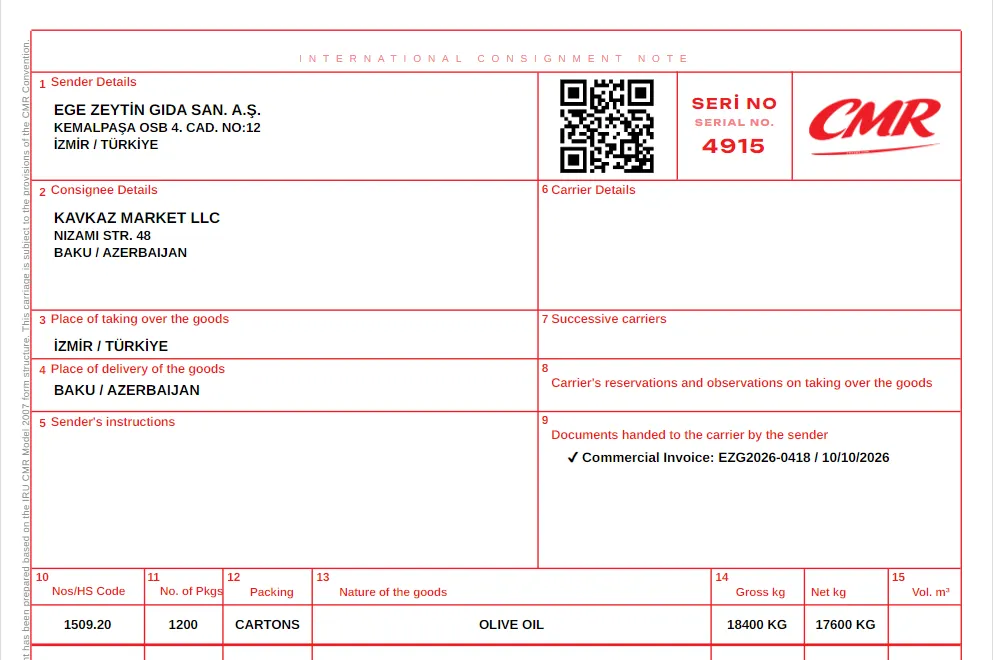
CMR consignment note
International road transport document — create a CMR online, download PDF
Create a CMR for free

Create your CMR, Invoice and Packing List documents in seconds . Auto-fill from a photo, share via QR code, and access them from any device in the cloud.
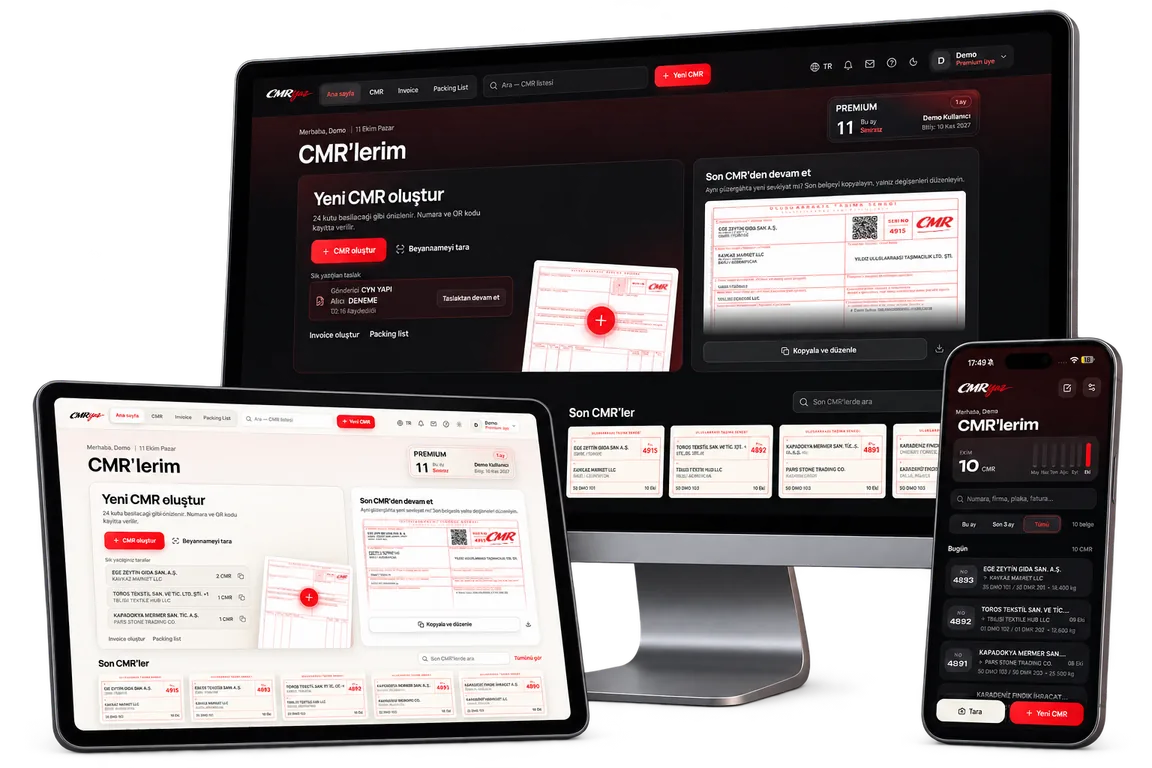
Upload a photo of the declaration; sender, consignee and goods fields are suggested and you confirm them.
Create a CMR for freeStart with the CMR; prepare the commercial invoice and packing list from the same details.
International road transport document — create a CMR online, download PDF
Create a CMR for free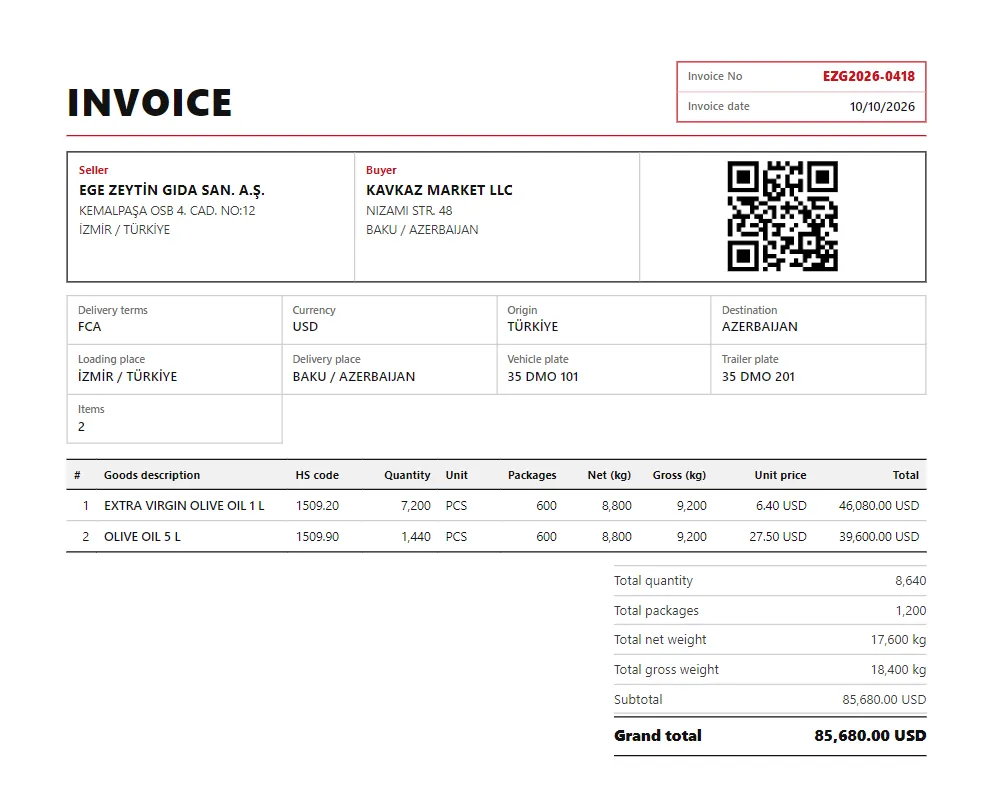
Prepare the commercial invoice from the sender, consignee and goods details; works with multiple currencies.
Invoice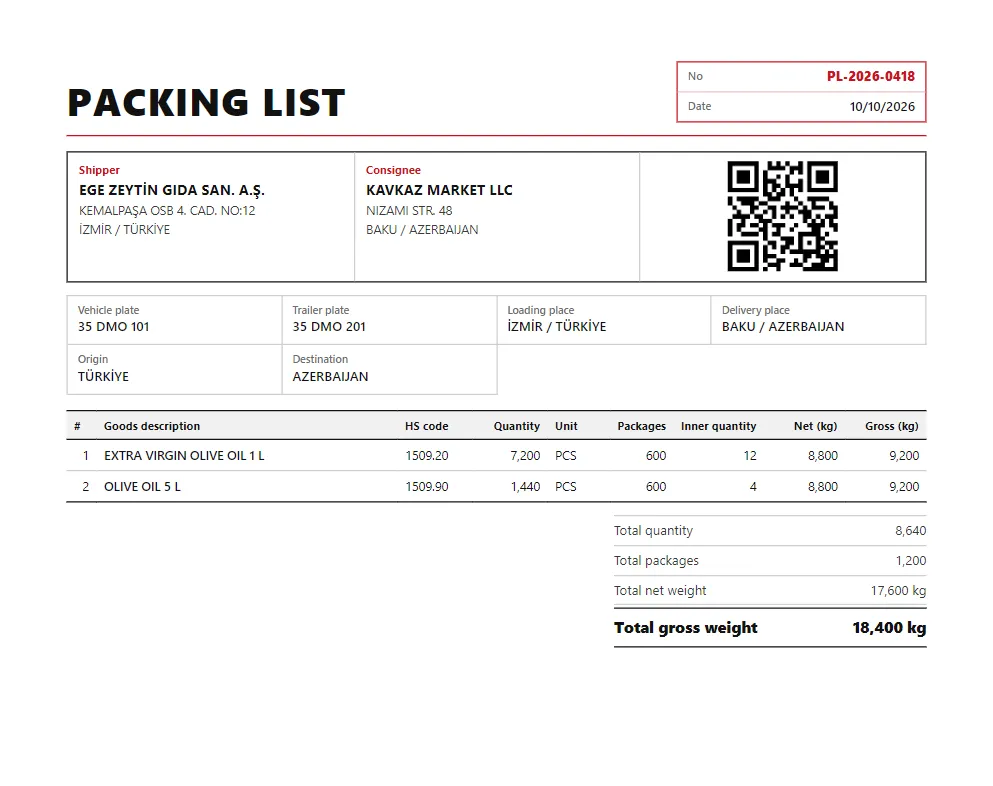
List packages with gross and net weights; produce the packing list that travels with the load.
Packing listSign up in 30 seconds with email or Google. No credit card required.
Fill in your CMR, invoice or packing list from scratch, or upload a photo of an existing document to transfer the fields automatically.
Download as PDF, share via QR code, and store it securely in the cloud.
Sign in to the CMRyaz iPhone, iPad and Android app with the account you opened on the web; your documents appear on both.
Focused on the CMR; no unnecessary steps, the document exactly as it prints.
Upload a photo of the declaration; sender, consignee and goods fields are suggested and you confirm them.
Turkish, English, Russian, Azerbaijani, Persian, Georgian, Turkmen and Uzbek.
The QR code on the PDF opens the document's lookup page so the other party can check the details.
Commercial invoice and packing list in the same account as the CMR, with the same details.
Documents you create on your phone also appear in your account on your computer.
Download your CMR as a print-ready PDF; your documents are kept in your account.
A CMR document is an official document (consignment note) that records the transport contract between the sender, carrier and consignee in international road freight. It is mandatory at border crossings and customs procedures. With CMRyaz you can create this document online and download it as a PDF.
Sign up for free, enter the sender, consignee and cargo details — or upload a photo of an existing CMR document to have the fields filled in automatically. In seconds your CMR document, compliant with international standards, is ready as a PDF.
Yes. Creating CMRs, invoices and packing lists is free and no credit card is required. The free plan includes 10 CMRs, 10 CMR edits and 3 document scans per month; with Premium these are unlimited.
Alongside the CMR, you can create a commercial invoice and a packing list. The three documents are integrated; you can generate an invoice and packing list draft from a CMR with one click.
Yes. You can download every document you create as a print-ready professional PDF in A4 format, print it directly or share it via QR code.
Start with the CMR; prepare the commercial invoice and packing list from the same details.